-
September 10, 2026
So I Tried Meta's Muse AI...
Great, another personal AI agent for the pile! I literally groaned when I saw that Meta released their own AI assistant called "Muse" that will basically do everything for you. Just to jog your memory, the CEO of Meta is Mark Zuckerberg, who absolutely cannot be trusted with all of the data that Muse actually wants to do the stuff it advertises.
The intro video is particularly funny because it shows the same tired use cases that all of the out-of-touch tech executives like to approve in marketing videos. Stuff like blindly buying presents for people and scheduling travel. You know, things that a sane human would want to participate in? The video shows Muse telling the user that their flight is delayed for two hours, then offers to rebook it seemingly a day later. Like yeah... maybe extending a two hour delay by 22 more hours wasn't what the user wanted?

"I rescheduled your flight to tomorrow and saved you over $100! What do you mean you'll miss the concert?" But I figured I'd sign up anyway if only to burn some tokens and make Meta pay for some electricity out of their own pockets.
More … -
September 08, 2026
Rooting a Sony DPT-RP1 For Maximum Manga Enjoyment

I can already hear the Chobits OP playing in my head I was rewatching the Chobits anime after thinking about how we're basically living in the Chobits universe with our voice-enabled AI assistants (minus the bodies, I guess). Chobits was one of the first anime that I watched back when I got access to high-speed internet back in the day. Apparently the Chobits anime has a lot of filler episodes, and I never read the manga, so then I decided I'd read the original source material instead.
But I've never liked reading manga on my Amazon Kindle Voyage. The screen is too small for full pages and I really don't like reading panel by panel. I wanted to read the manga with two pages showing at once, since they often have images that span two pages at a time.
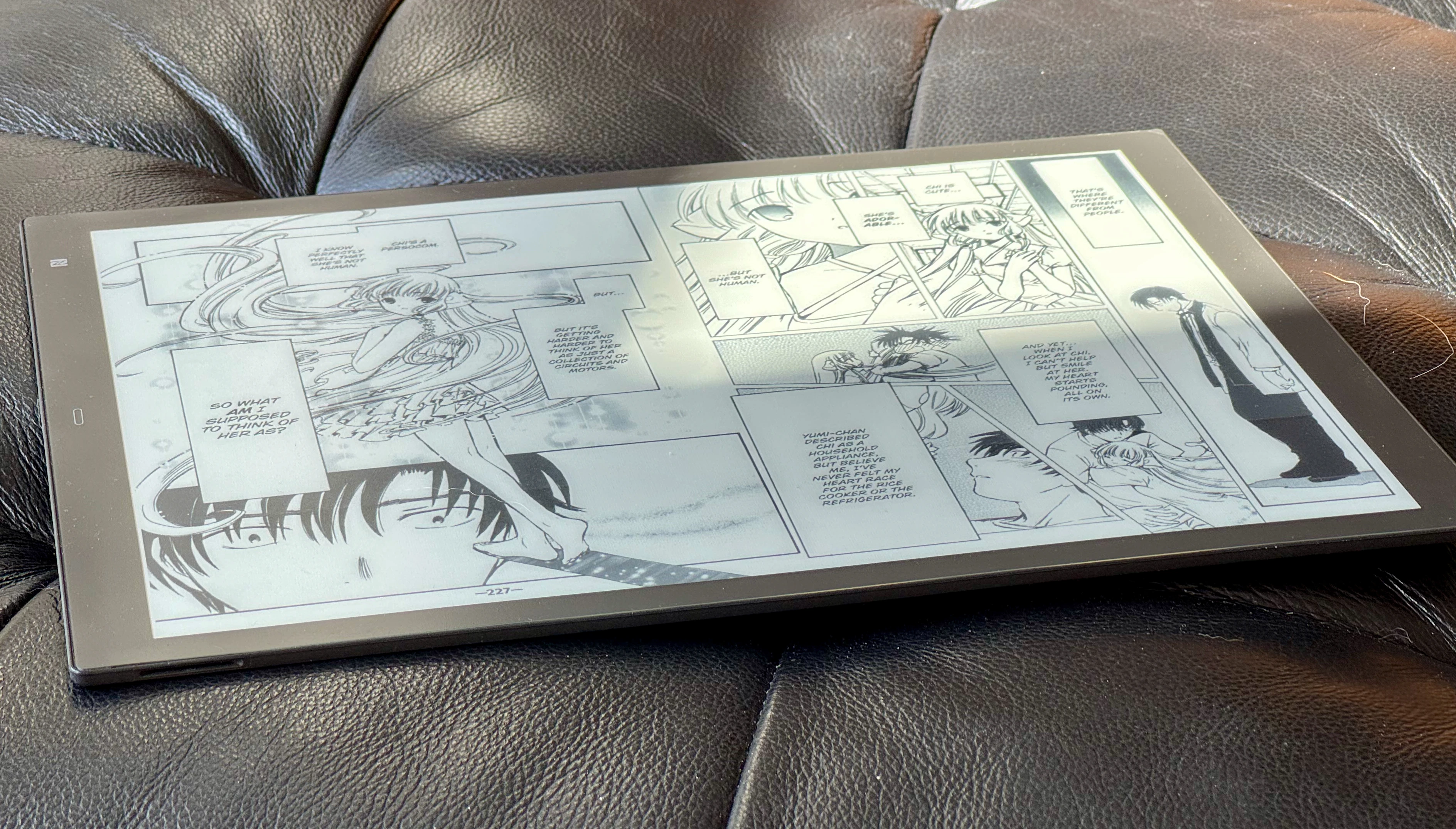
You know what I would do with a million dollars? Two pages at the same time, man! I looked at a few of the current 13-inch e-readers like the BOOX Max but they were way too expensive to justify for just reading some manga. I didn't want a whole new tablet for writing down notes or annotating documents in color E Ink. I remembered that Amazon had a giant Kindle at some point (The Kindle DX which was only 9.7 inches but seemed huge at the time), so I had a conversation with ChatGPT about older models. That pointed me to the Sony RP1 from 2017 as a potential cheap alternative to the $700 BOOX. ChatGPT also mentioned that this model had the potential to be rooted, which would let me load CBZ files and an Android app for reading manga.
More … -
August 20, 2026
I Finally Got a Woot Bag of Crap!
The mythical Woot bag of crap is finally mine! According to Woot, I've been a member since Wednesday, July 27, 2005, and in those 7,694 days of membership, I've never been able to score a bag of crap. Until now!
More … -
July 27, 2026
Backfilling 430k+ Blog Posts on Anime Nano (For Free!)
I've been working on some new features for Anime Nano in the last few weeks, just to have something to work on. There's a feature that I disabled that I had set up in the early days of the site which would detect if a blog post was about an anime series, and if it had an episode number. So if someone was blogging about Naruto Episode 10, I could then show all the blog posts about that episode (or just about Naruto).
It originally worked by just checking a new blog entry against a giant list of regular expressions that I hand wrote for each series (usually they were just an exact match though sometimes they had to be a bit more complicated). It worked pretty well except that it was a pain to add new series for every season and after a while I just wasn't interested in managing it anymore.
So when I updated Anime Nano to run on Cloudflare last year, I only kept the bare minimum feature set. Since I have AI as my intern now, I've been having it whip up features for things that no one will use. And so I set it on a quest to automate the Anime Nano Entry Series Tagger!
More … -
May 25, 2026
Vibe Printing Garden Supplies With AI
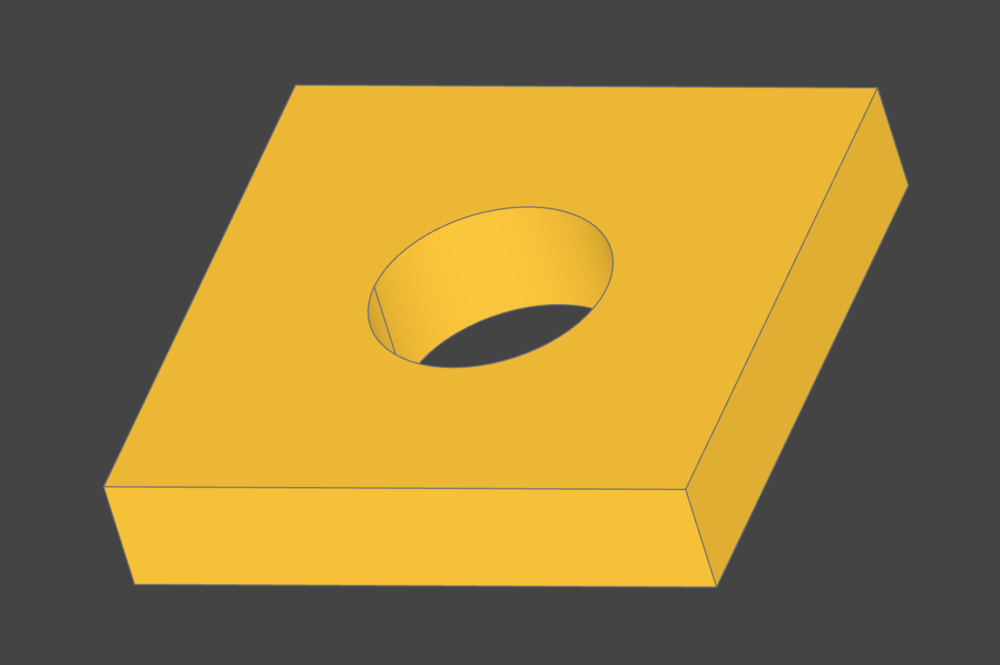
This test model is making me hungry for swiss cheese Last time I 3D printed something, it was a replacement part for my Toto Bidet toilet seat. Since it was such a weird looking part, I just did it manually in Tinkercad.
Yesterday, I was setting up my custom-built automatic irrigation system into my garden. I was installing some 1/2 inch irrigation tubing when I noticed that it was kind of hard to get it to sit in the garden bed without getting in the way of the plants. Here's a preview of the system, btw, if you are interested:
Anyway, I thought it might be better to clip the irrigation tube to the side of the metal raised bed somehow. I looked online and didn't see any clips being sold, so I thought I would try to 3D print one myself, since that would be way cheaper and faster than buying one online, anyway. This time I enlisted the help of AI.
More …